See how a month runs in PeopleOS.
Three screens, in the order your team uses them: the people, their time, then their pay. These are real screens from a demo workspace, not mock-ups.
- Step 1 of 3
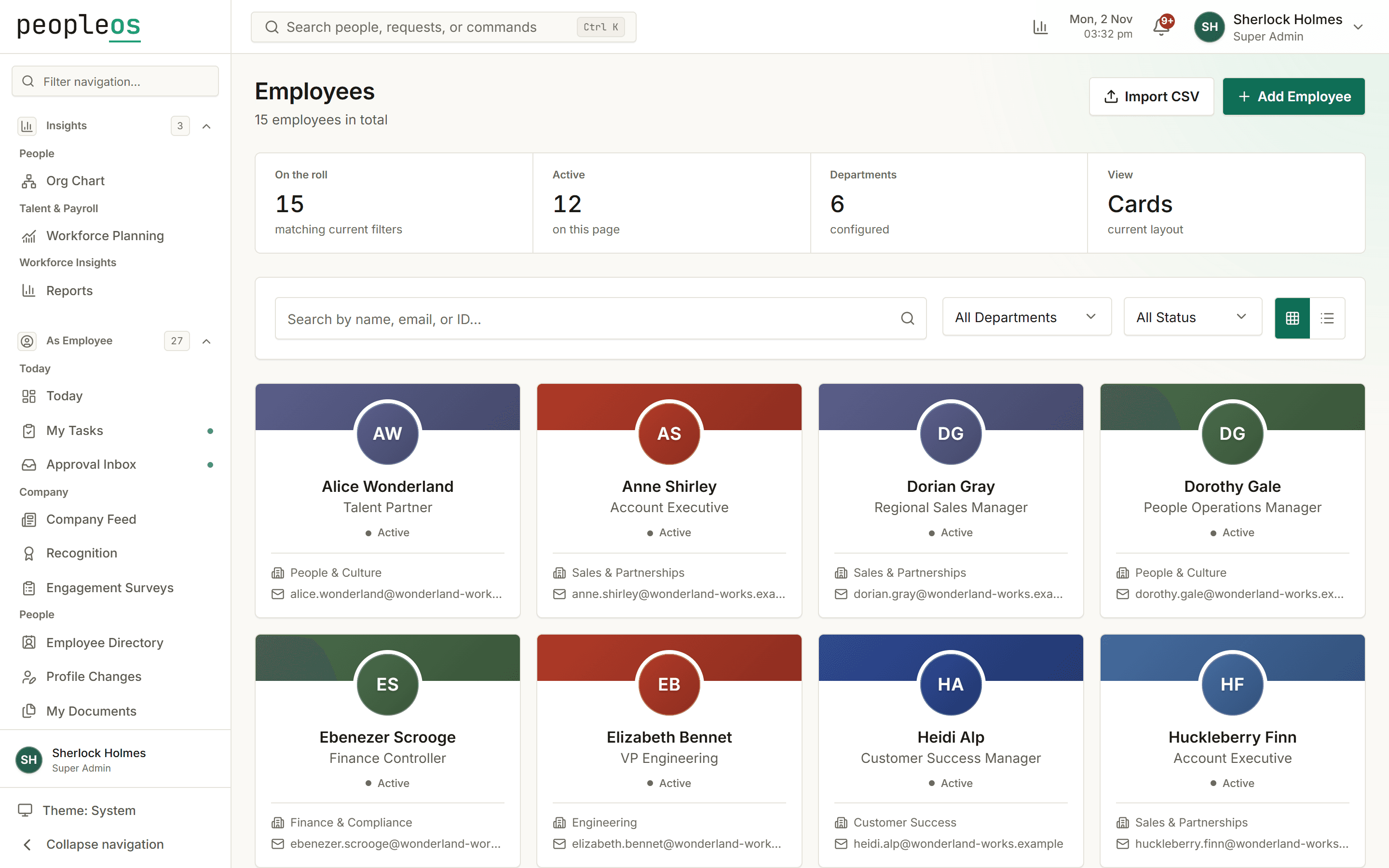
Start with one record for each person
Everything else hangs off the employee record: department, reporting line, documents, leave balances and salary structure. Import your existing list in stages and check it before it goes live.
- Headcount and status at the top, filters for department and status
- Each person's profile, documents and history in one place
- Staged CSV import with a review step
- Step 2 of 3
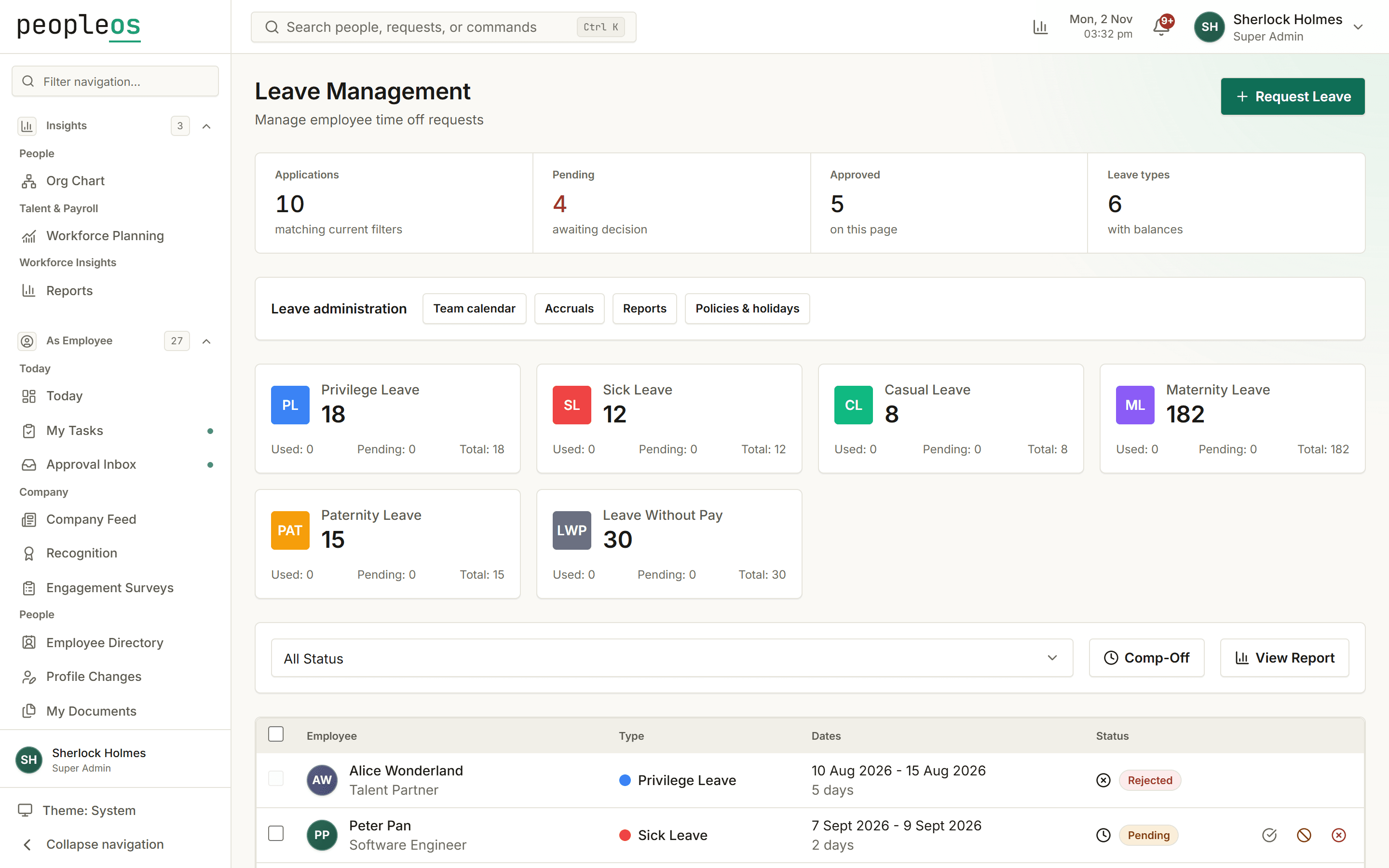
Approve time off with the context to decide
Employees apply from their phone. Managers see the request beside the person's balance and the team calendar, and approve or decline in one step. Attendance and shifts feed the same record.
- Pending and approved applications in one list
- Balances for each leave type, kept up to date
- Approvals routed to the right manager
- Step 3 of 3
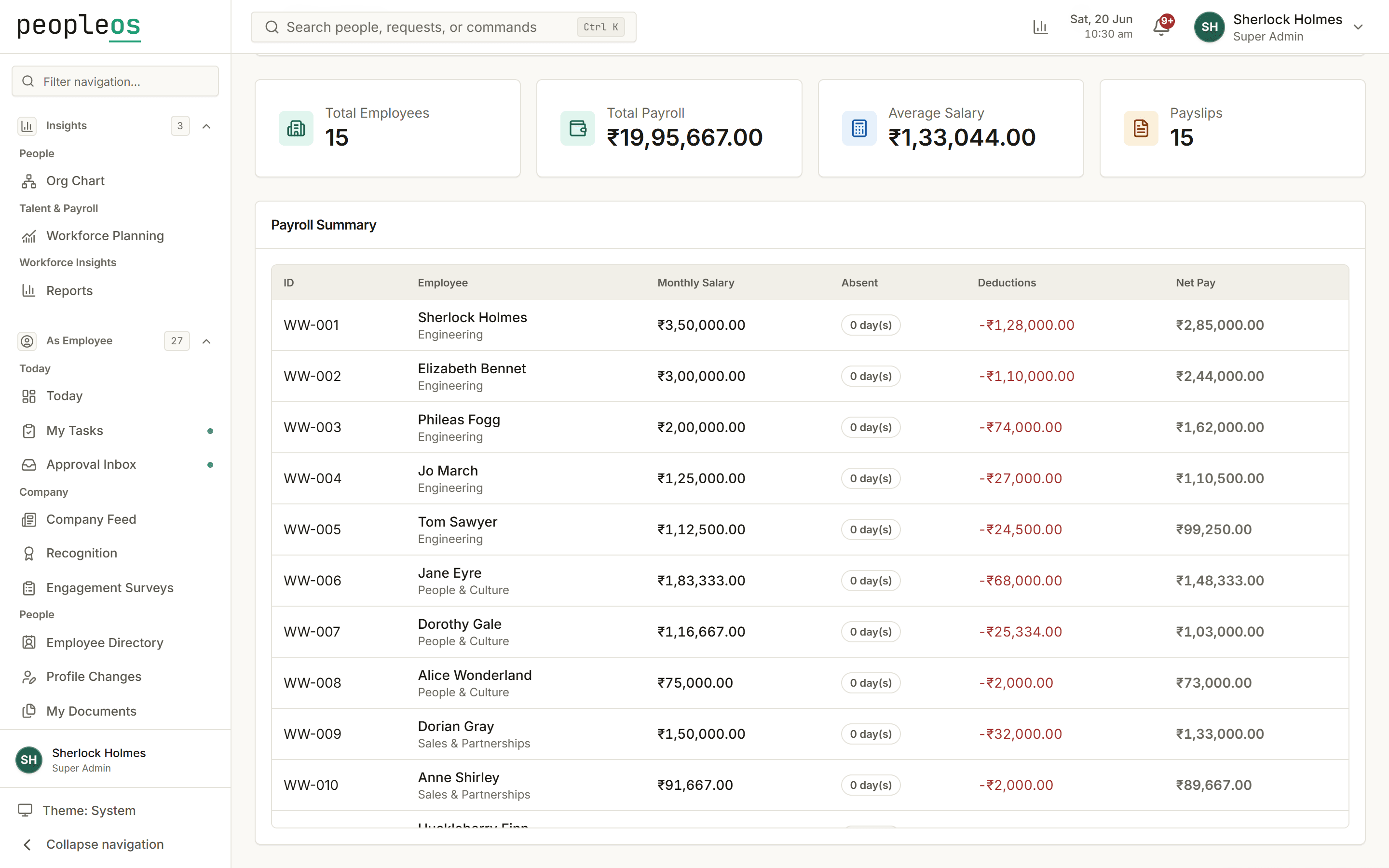
Run payroll from approved time, then review it
Salary structures and approved attendance become a payroll run with PF, ESI, Professional Tax and New Tax Regime TDS worked out. One person prepares it, another approves it, and employees get their payslips themselves.
- Totals, payslip count and a per-employee table before approval
- Absent days and deductions shown next to net pay
- Bank advice, PF ECR and ESI return exports (acceptance by banks and portals still being verified)
Try it with your own team.
Free for up to 10 employees, with no credit card. Bigger team? We will walk you through it with your own setup.